Developer tools · Open source
Actively maintained
Markdown Viewer
A home for your Markdown.
And everything it can become.
Write, organize, and preview technical documents in one local-first workspace. Bring diagrams, equations, 3D models, and review conversations into the same flow.
 Source code
- My role
- Creator & maintainer
- Period
- 2024–ongoing
- Built with
- JavaScript
- IndexedDB
- Cloudflare



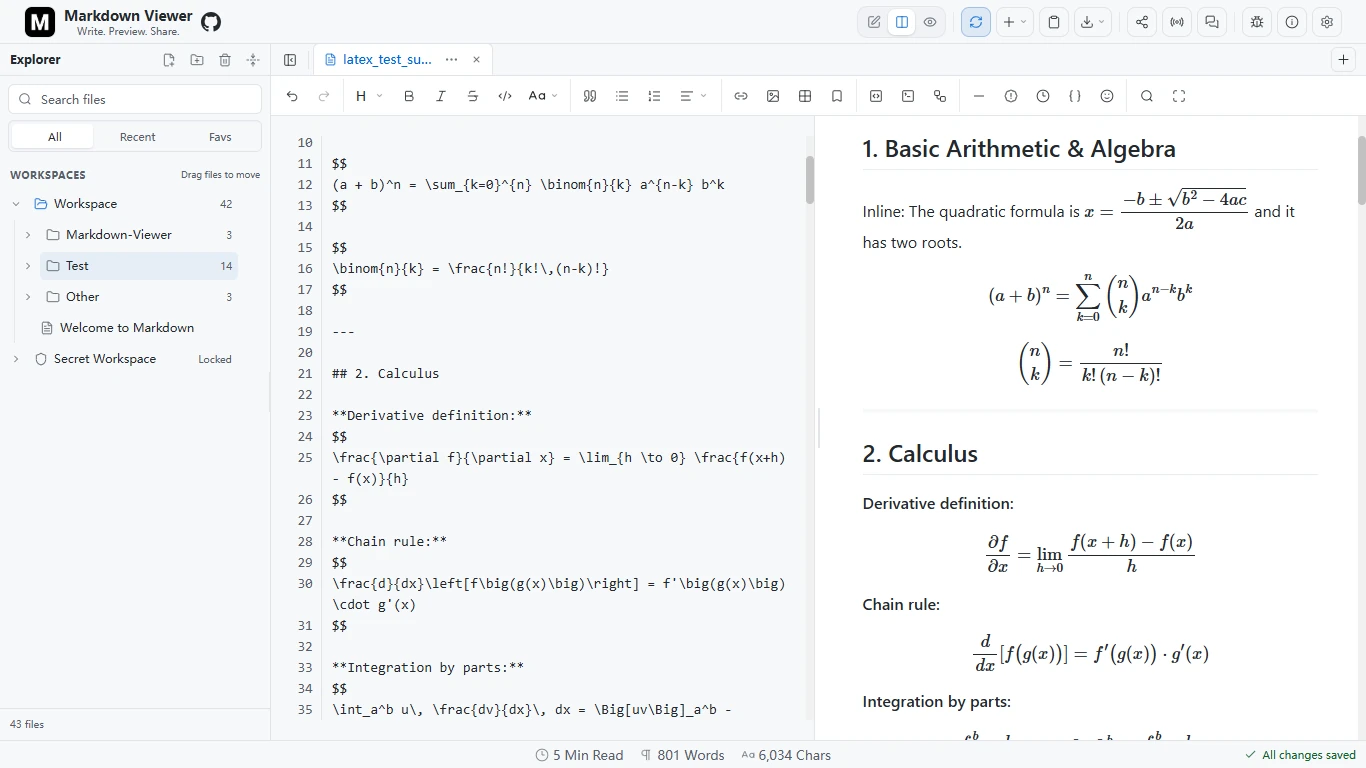
LaTeX source and live MathJax output in the same workspace.
01 THE PROJECT
One document. A complete workflow.
It started with a simple idea: make Markdown easier to read, edit, and share.
Technical writing quickly outgrows a single preview pane. A README needs code examples. Research notes need equations. An architecture proposal needs diagrams and feedback. Moving between separate tools interrupts that work.
I created Markdown Viewer and maintain its editor, document storage, rendering pipeline, and web and desktop delivery. Community feedback and contributions have helped shape it into an open-source workspace for that whole process.
02 THE WORKSPACE
Pick up where you left off.
A document explorer keeps files and folders together. Tabs, independent scroll positions, and Editor, Split, and Preview modes let the workspace follow the task.
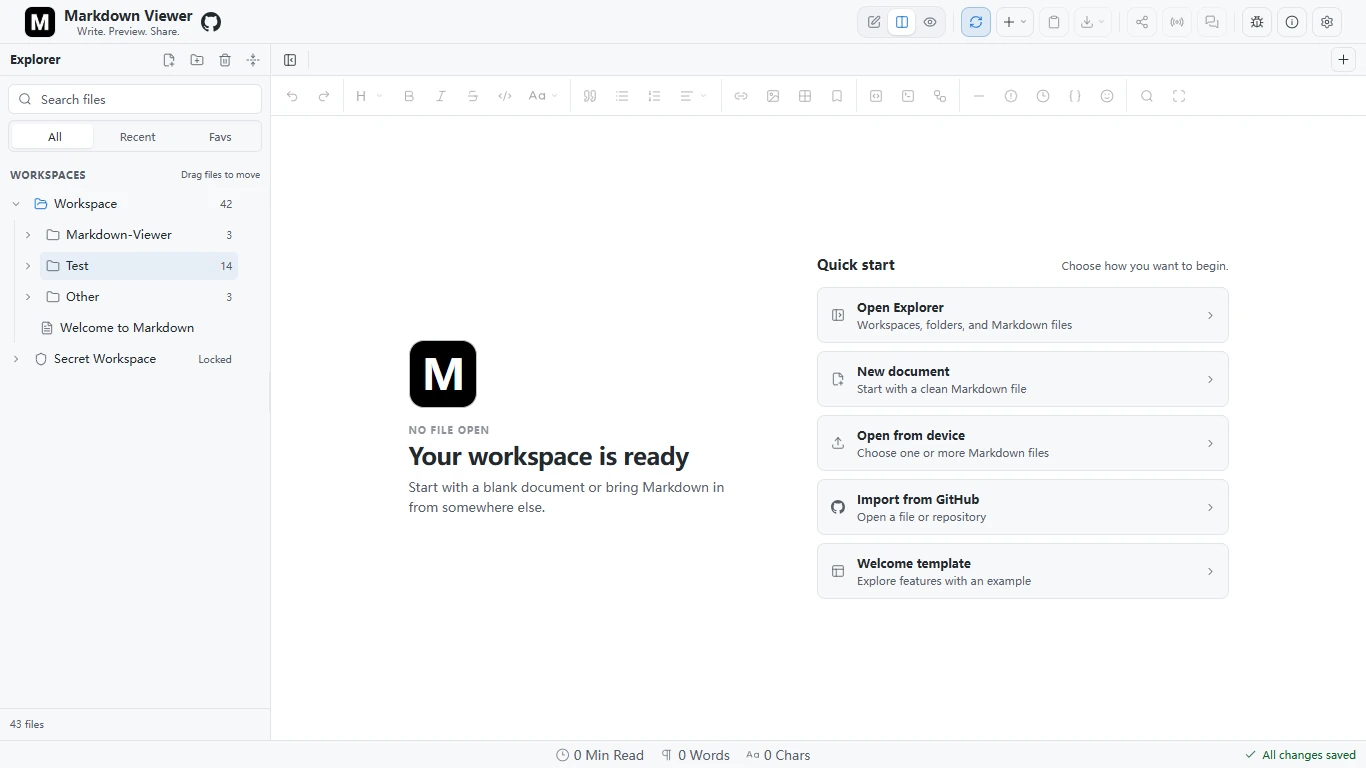
Folders, open tabs, and a clear starting point for the next draft.

Organize without friction
Nested folders, favorites, recent files, search, and bulk actions. Import a GitHub repository while preserving its Markdown directory structure.
Save each document independently
Browser documents use IndexedDB; desktop documents live as ordinary Markdown files in a durable vault. Content loads when a document opens.

Build recovery into the workflow
Recover deleted files from a 30-day Trash, preserve conflicting edits as copies, and export a folder-preserving workspace ZIP.

Keep a private local space
Secret Workspace encrypts file contents and folder names with a password-derived AES-GCM key. The unlocked key stays in memory.
03 BEYOND PLAIN TEXT
Write the source. See the idea.
GitHub-style Markdown is the foundation. Rich code fences turn technical material into diagrams, charts, maps, models, and music, right beside the source.
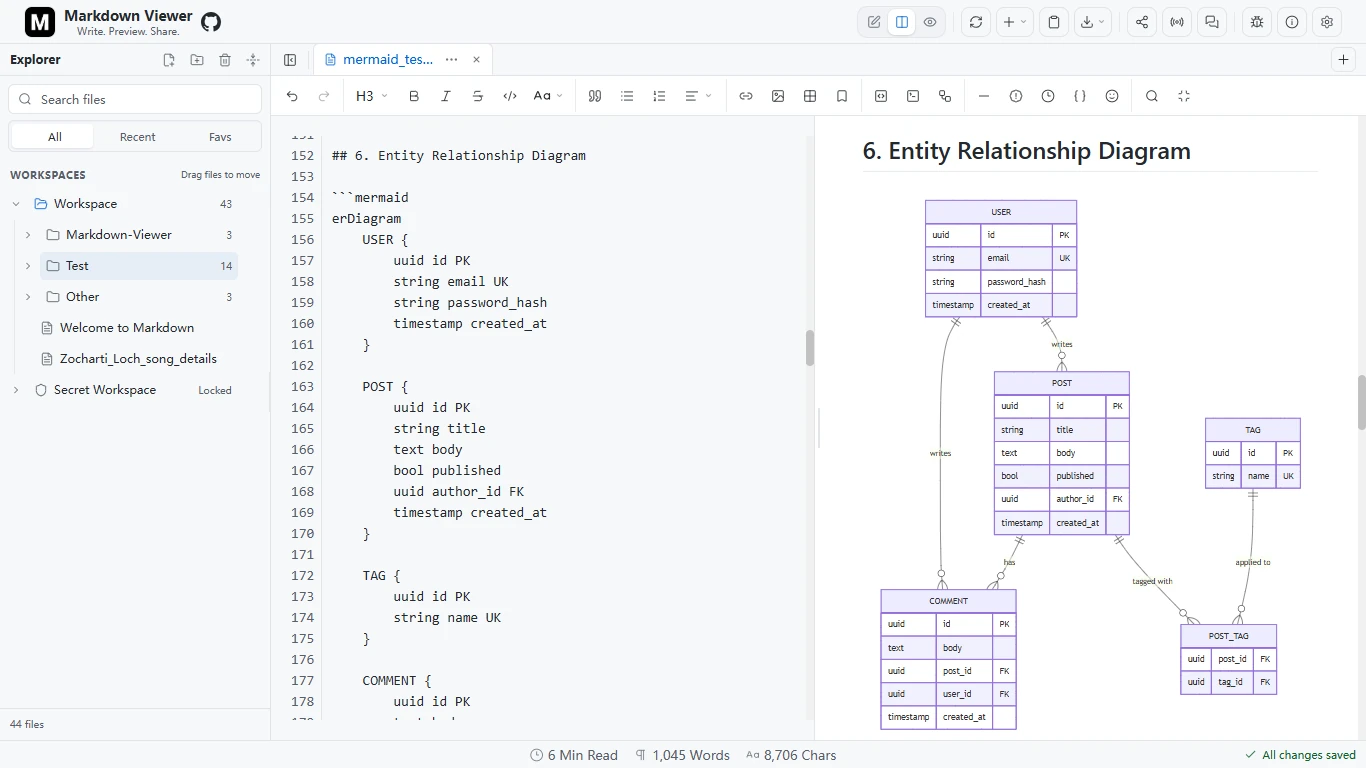
Mermaid turns a text definition into a readable database diagram.
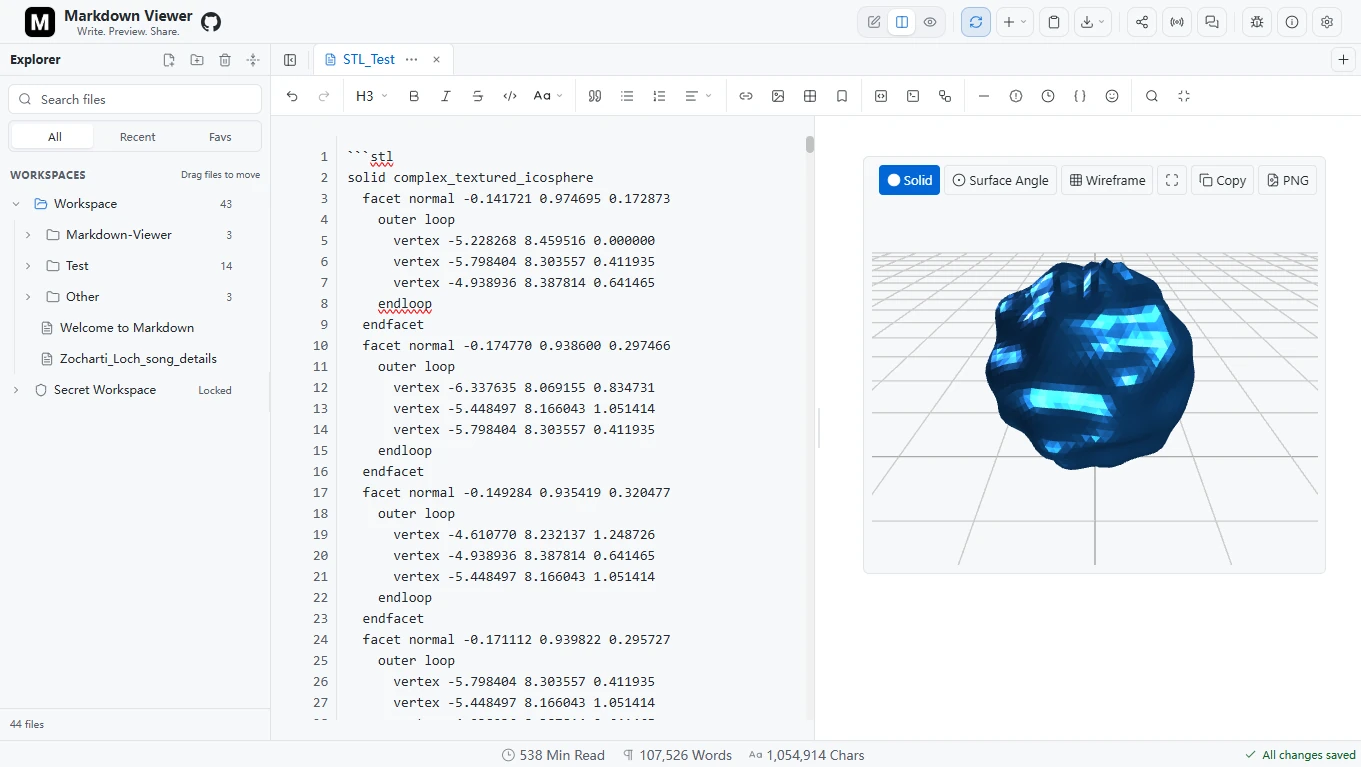
Inspect STL geometry with solid, surface-angle, and wireframe views.
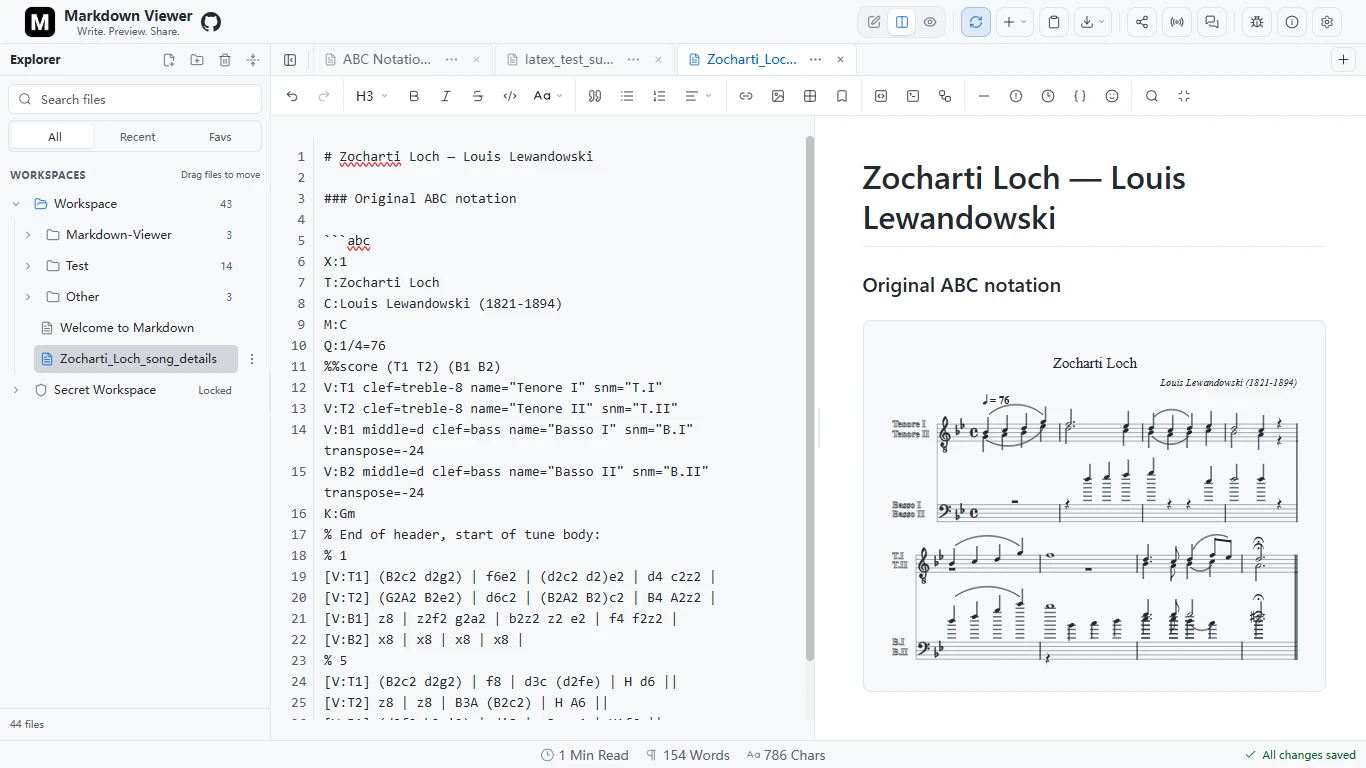
ABCJS renders ABC notation as sheet music, with playback support.
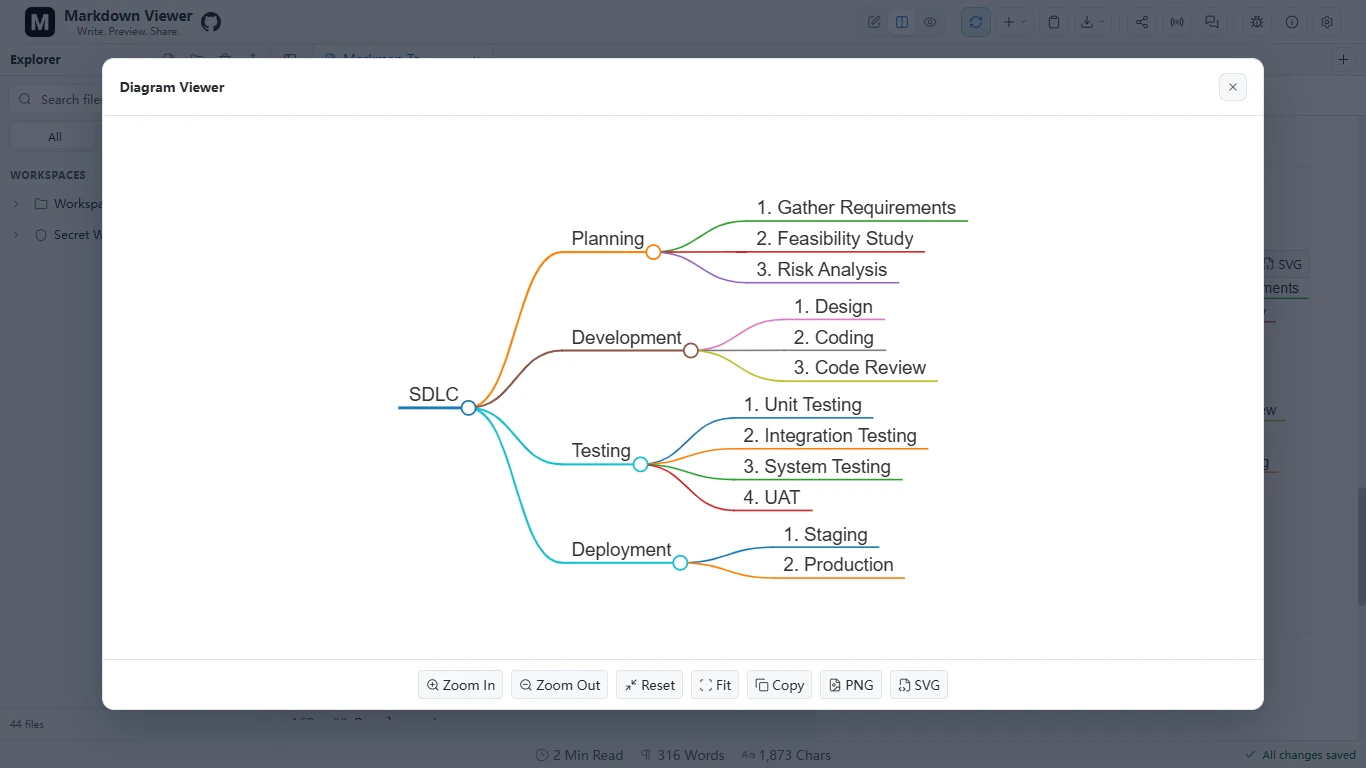
Markmap expands an outline into an interactive mind map.
More from the rendering toolkit
 More from the rendering toolkit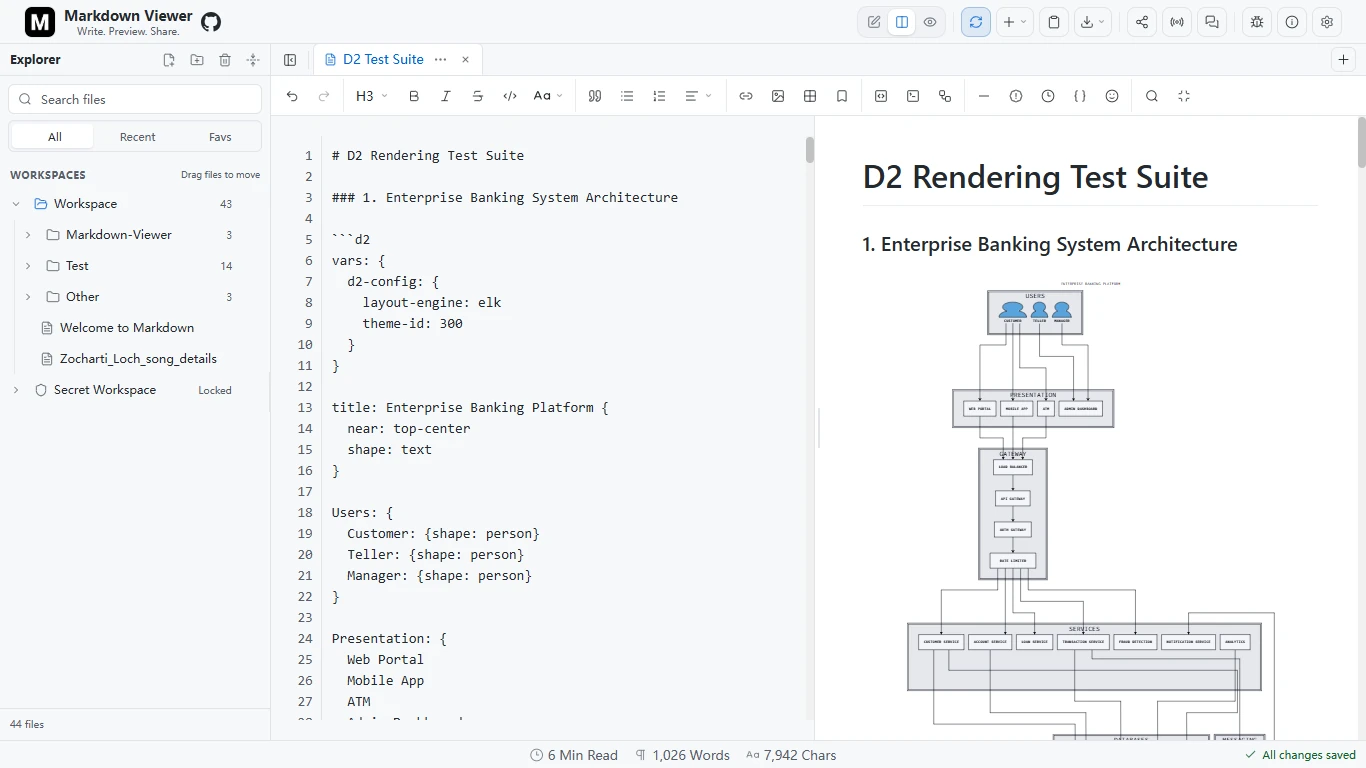
D2 diagrams render through Kroki and can be opened in a larger viewer.
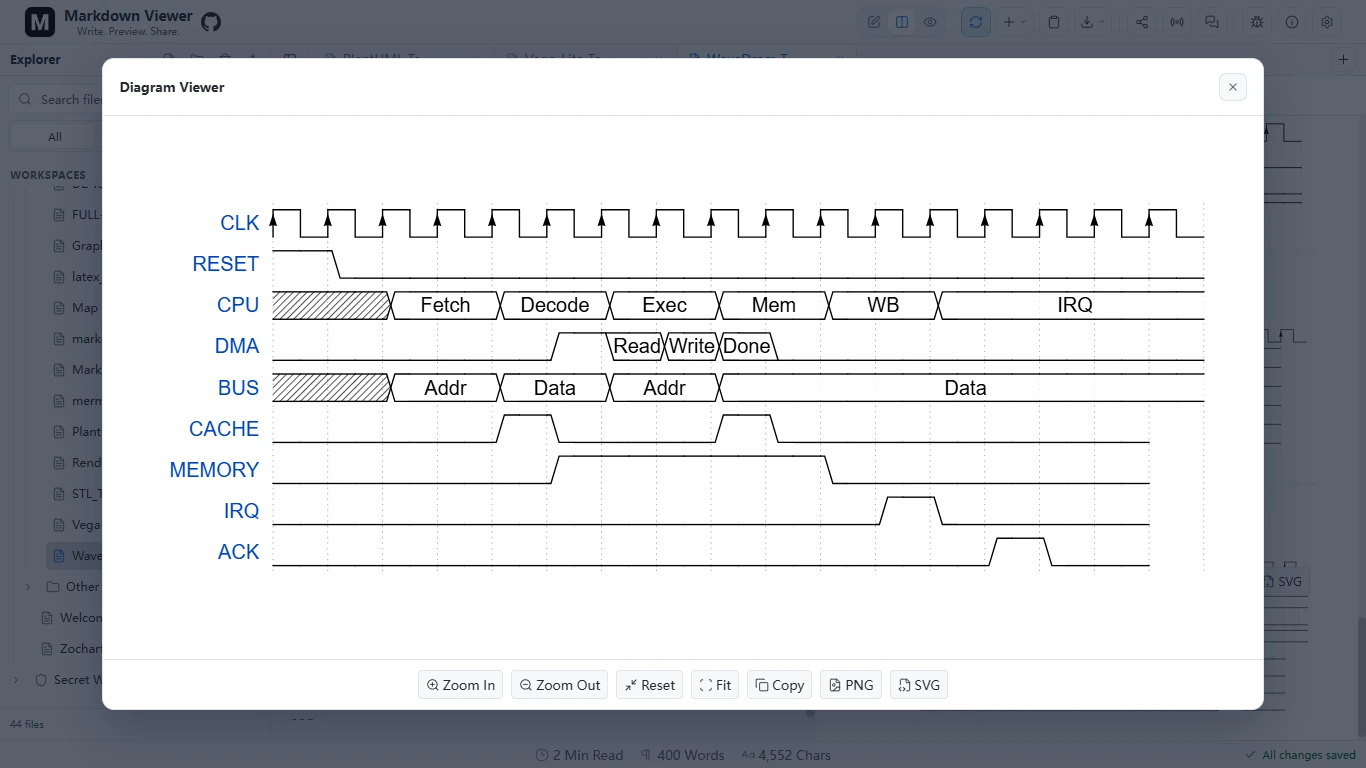
WaveDrom visualizes digital signals through the remote renderer.
Also supported PlantUML, Graphviz/DOT, Vega-Lite, GeoJSON, and TopoJSON, alongside MathJax for LaTeX.
Mermaid, math, maps, STL, ABC, and Markmap render in the client after their libraries load. PlantUML, D2, Graphviz, Vega-Lite, and WaveDrom use remote services; map tiles and some diagram previews also use the network.
04 REVIEW & SHARING
From your draft to a shared conversation.
Feedback belongs next to the content it discusses. Anchored comments and threaded replies keep review attached to text, images, diagrams, and equations while leaving the Markdown source intact.

SHARE SNAPSHOT
Send a point-in-time copy.
Choose View only or Can edit. Small documents are compressed into the link; larger snapshots are stored in Cloudflare KV for 90 days. Recipients edit their own copy.
Snapshot details
LIVE SHARE
Work on the same document.
Yjs synchronizes edits, cursors, and review threads through a Cloudflare Durable Object. Host, editor, and viewer capabilities are checked by the relay; viewers can still comment.
Collaboration detailsSnapshot and live invitations grant access to anyone holding the link. Live Share is not end-to-end encrypted. The relay does not persist document or comment content, but it does retain role capability metadata. Comments stay out of exports and snapshot links.
05 ENGINEERING CHOICES
More capability. A focused core.
The application stays mostly vanilla JavaScript. The work is in how storage, parsing, rendering, and export fit together.
- Markdown sourceA plain-text editor
- Parse & sanitizeMarked + DOMPurify
- Preview & exportRich-content preparation
 Markdown source
 Parse & sanitize
 Preview & export
Keep typing responsive
Size-aware debouncing, optional Web Worker parsing for large documents, cached blocks, and selective DOM updates reduce repeated work. Heavy renderer libraries load when needed.
Make the exported document complete
PDF and PNG use an off-screen snapshot that waits for fonts, images, math, and visual renderers. Markdown and standalone HTML offer other ways out, with remembered appearance choices for visual exports.
Share a core across web and desktop
A Neutralinojs wrapper reuses the web application, adds native file dialogs and a durable vault, and bundles renderer libraries. The web app also supports PWA installation and static or Docker hosting.
Check the workflows that matter
The repository includes Playwright coverage for editing, rich rendering, import/export, storage, sharing, keyboard interaction, and responsive layouts, plus Chromium, Firefox, and WebKit smoke tests. External integrations are mocked in the local suite.
06 BUILT WITH
The tools behind the workspace.
JavaScript
Application coreEditor behavior, preview orchestration, and browser APIs.
IndexedDB
Local persistenceIndependent document records, metadata, and encrypted storage.
Cloudflare
Optional connected featuresPages hosting, KV snapshots, and Durable Object live rooms.

Neutralinojs
Desktop deliveryA shared web core with native dialogs and a durable file vault.

Docker
Self-hostingAn Nginx container for serving the static web application.

Playwright
Workflow verificationBrowser automation for document, rendering, and interaction flows.
07 PROJECT NOTES
Built in public. Still moving forward.
Markdown Viewer has grown from a small preview tool into a document workspace through ongoing iteration and community contributions. The recent 3.10.2 release focuses on recovery, rendering correctness, review stability, and complete visual exports.
Its local-first approach keeps everyday writing on the device. Connected features have explicit service boundaries, and offline behavior depends on cached or bundled assets. The documentation records those tradeoffs alongside current capabilities.
Project documentation reviewed September 14, 2026. Product screenshots supplied by the author, captured September 2, 2026. Markdown Viewer is licensed under Apache 2.0.